
Furniture Drawing Programs: The Most Comprehensive Guide for 2D and 3D Design
Short answer: Furniture design software is used by furniture manufacturers, interior designers, and designers for 2D technical drawing, 3D modeling, and visualization. AutoCAD, SketchUp, SolidWorks, and Fusion 360 are among the most commonly used programs.
What is Furniture Drawing Software?
Furniture design software enables the creation of dimensioned technical drawings, three-dimensional models, and production-ready designs for furniture products. These programs are critical not only for aesthetic design but also for ensuring the production process runs accurately and without errors.
Today, the furniture industry relies on processes such as CNC cutting, modular production, and mass manufacturing, making it crucial that the drawing programs used operate with precision and scale.
The Difference Between 2D and 3D Drawings in Furniture Design
| Feature | 2D Drawing | 3D Drawing |
|---|---|---|
| Intended Use | Technical specifications, production details. | Visualization, presentation |
| Programs | AutoCAD | SketchUp, SolidWorks |
| Learning Period | Middle | From beginner to advanced level |
| Production Harmony | Very high | It depends on the program. |
Most Used Furniture Drawing Programs
AutoCAD
AutoCAD is the most widely used 2D drawing program in the furniture industry. It has become the standard for technical drawings, dimensioning, and detail drawings. It is indispensable, especially for manufacturing workshops and factories.
- Precise dimensioning
- CNC and manufacturing compatibility
- Technical drawing standards
SketchUp
SketchUp is ideal for furniture design beginners thanks to its easy-to-learn interface. It's very practical for 3D modeling and quick visualization.
- Rapid modeling
- Presentation and render compatibility.
- Interior design projects
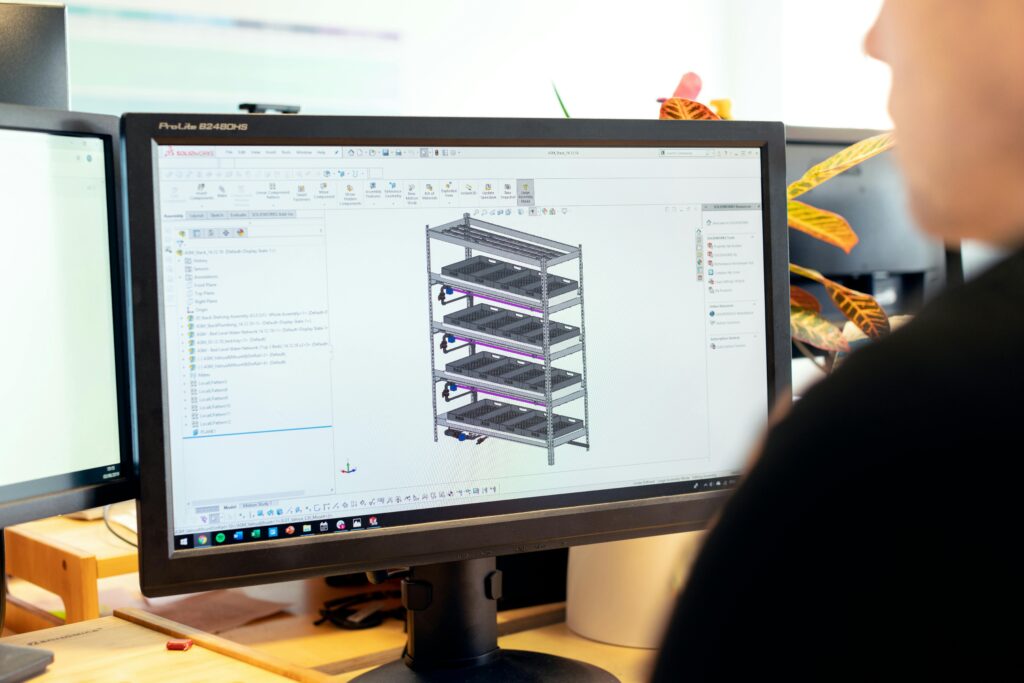
SolidWorks
SolidWorks, especially for metal components. office furniture It is preferred for products with mechanisms. Thanks to parametric modeling, dimension changes can be implemented quickly.
- Industrial design
- Part-based production
- High precision
Fusion 360
Fusion 360, with its cloud-based architecture, combines both design and manufacturing processes on a single platform. It offers CNC, CAM, and rendering features within the same software.
3ds Max
3ds Max is used more for visualization and marketing purposes than for furniture design. It's ideal for catalog and website visuals.
Distribution of Programs by Usage Area (Graph)
The following graph shows the usage intensity of drawing programs in the furniture industry:
Which program is more suitable for furniture manufacturers?
For furniture manufacturers, the choice of software varies depending on the scale of production:
- Workshop scale: AutoCAD + SketchUp
- Mass production: SolidWorks or Fusion 360
- Catalog & marketing: 3ds Max
Most professional firms use a combination of these software programs rather than a single program.
Essential Features Sought in Furniture Drawing Programs
- Scaled and error-free drawing.
- File format compatibility
- CNC and manufacturing integration
- Rendering and visualization support
- Updates and technical support
Free or Affordable Alternatives
In addition to professional software, free or low-cost alternatives are also available:
- FreeCAD
- Blender (visualization)
- SketchUp Free (web version)
These programs may be sufficient for small-scale projects and beginner levels.
Frequently Asked Questions (FAQ)
Which program is easiest for furniture design?
SketchUp is the most practical program in terms of ease of learning.
Which program is used for CNC machining?
AutoCAD and Fusion 360 are the most commonly used software programs in terms of CNC compatibility.
Will one program be sufficient?
Generally not. Different programs are used together for design, production, and presentation.
Conclusion
Furniture design software is a fundamental building block of the modern furniture industry. Choosing the right software directly impacts time, cost, and quality. Numerous programs exist to suit various needs, from 2D technical drawing and 3D modeling to production and visualization. For professional firms, the most efficient approach is to use these programs in the right combination.