









16 June 2026
Desk Organization and Organizers: Efficient Office Desk
Desk Organization Principles for an Efficient Office
In Ankara’s busy work pace, the quality of hours spent at the desk directly affects your productivity. While a cluttered desk increases mental fatigue, a well-structured desk organization facilitates focus. As Kavela, in our Ankara workshop, to maximize the potential of the custom-made desks we produce, it’s essential to understand the physical rules of desktop organization. Here is a guide based on concrete measurements that every office worker can apply.
1. Basic Desktop Organization Principles: Distinction Between “Frequently Used” and “Storage”
The desktop is a work surface; it is not a storage area. Therefore, only the tools necessary for your current task should be on your desk. The principle is simple:
- Primary Zone (0-40 cm): Keyboard, mouse, and notepad. This is the area your elbows comfortably reach at a 90-degree angle.
- Secondary Zone (40-80 cm): Phone, coffee cup, daily reference files. This is the distance you can reach by extending your arm.
- Tertiary Zone (80 cm and beyond): Rarely used books, decorative objects, or plants. Absolutely do not use this area for your active workflow.
If your desk depth is 60 cm, place your monitor at the very back edge. The distance between your eyes and the monitor should be at least 50 cm, ideally 70-80 cm. For a 24-inch monitor, this distance reduces eye strain by 30%.
2. Cable Management: The Key to Invisible Order
Complex cable bundles create both visual clutter and increase dust accumulation. For an efficient desk organization, it is essential to control cables.
- Using Cable Trays: A 2 cm wide cable tray, adhered to the underside of your desk, gathers all power and data cables along a single line. This is the most practical solution for office furniture users in Ankara.
- Labeling System: Attach a small label to both ends of each cable (e.g., “Monitor Power”, “USB Hub”). This saves you at least 15 minutes during relocation or desk reorganization.
- Vertical Routing: Instead of plugging chargers directly into the wall, use a power strip fixed underneath the desk. Route the cables vertically along the desk leg. This method allows a vacuum cleaner to pass easily and eliminates the risk of tripping.
Tip: A cable tray mounted underneath your desk is ideal for concealing excessively long cables. A tray measuring 60×40 cm comfortably accommodates cables for 5-6 devices.
3. Using Organizers and Pedestals: Everything Should Have Its Place
Desk drawers and organizers are the number one enemy of clutter. However, when used incorrectly, they create “hidden clutter.” Here are the rules for effective use:
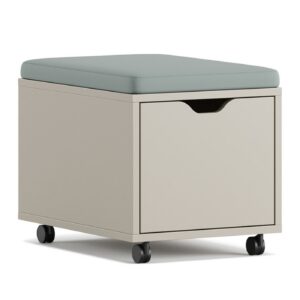
- Pedestal (Drawer Cabinet) Strategy: If you have a 3-drawer pedestal:
- Top drawer (Frequently used): Pens, scissors, post-its, USB stick. Use dividers to ensure each pen has its own slot.
- Middle drawer (Weekly use): Stapler, hole punch, tape, calculator.
- Bottom drawer (Monthly/Storage): Spare stationery, old notes, chargers.
- Choosing Desktop Organizers: Vertical filing systems separate papers vertically instead of stacking them horizontally. This reduces the time it takes to find a document to 5 seconds. Prefer wood or metal materials; plastic organizers become brittle over time.
- Trays for Small Items: Use magnetic or compartmentalized trays measuring 10×10 cm for small items like paper clips, rubber bands, and pushpins. Fix these to the upper right corner of your desk.
4. Ergonomic Placement: Protect Your Body, Increase Your Productivity
Ergonomics is not just about chair selection. The position of every object on the desk directly affects your musculoskeletal system.
| Object | Ideal Position | Measurement/Angle Standard |
|---|---|---|
| Monitor | 5-10 cm below eye level | The top edge of the screen should be at the same level as your eyes. |
| Keyboard | At elbow height, flat | Leave a 10-15 cm gap between the front edge of the keyboard and the desk edge. |
| Mouse | Immediately next to the keyboard | When using the mouse, your wrist should be in a straight line, not bent upwards. |
| Phone | To the left of the keyboard (for right-handed users) | Within a distance where you can see and touch the phone without lifting it (40-50 cm). |
| Notepad | In front of the keyboard or under the monitor | A vertical notepad takes up 20% less space than a horizontal one. |
Important Note: If you use wrist rest pads, the height of the pad should not be higher than the front edge of your keyboard. Otherwise, you will apply excessive pressure to your wrists. The ideal pad height is 2-3 cm.
5. Minimalist and Efficient Setup: Fewer Items, More Work
A minimalist desk is not an empty desk, but one where every item serves a purpose. Follow these steps for an efficient setup:
- The 80% Rule: No more than 20% of your desk surface should be covered with items. The remaining 80% is your working and thinking space. Even an A4 paper covers 5% of the desk.
- Digital Transformation: Reduce physical post-it notes. Instead, use a thin magnetic strip that you can attach to the edge of your monitor to hold papers vertically. This does not occupy horizontal space.
- Uniform Material: Choose your organizers from the same color and material group. For example, a black metal pen holder, a black metal file holder, and a black desk lamp. Visual harmony reduces mental clutter.
- End-of-Day Reset: Every evening before leaving work, take 2 minutes to clear your desk. Put all pens back, file papers, take the coffee cup to the kitchen. A clean desk will be waiting for you when you arrive in the morning.
Remember, desk organization is not a one-time task to be forgotten, but a habit to be practiced daily. In Ankara’s dynamic office culture, this habit will save you both time and energy.
Frequently Asked Questions
Is it enough to tidy my desk once a week?
No, it is recommended to reset your desk for 2 minutes at the end of each workday. Weekly tidying leads to clutter accumulation and reduces your productivity. Daily resetting provides a mental closure and makes it easier to start the next day focused.
How can ergonomic organization be achieved on a small desk (120×60 cm)?
On small desks, you should prioritize. Lift the monitor with a wall-mounted arm instead of placing it on the desktop, creating space underneath for a notepad. Place the keyboard and mouse on a retractable tray mounted underneath the desk. Instead of using a pedestal, opt for a narrow shelf system mounted underneath the desk. With this method, you can increase your usable space by 40%.
Does using a cable tray make cleaning under the desk more difficult?
On the contrary, it makes it easier. Since cables are gathered in a single channel, a vacuum cleaner or dust cloth moves easily underneath the desk. By opening the channel cover, you can clean the cables as a whole, not individually. Once a month, simply remove the channel cover and wipe the inside with a damp cloth.
Related: For custom production options, see office desks and pedestals and storage.