






8 May 2026
How to Find a RAL Color Code? Guide to Choosing the Right Color in Office Furniture

Office Furniture • Color Selection • RAL Codes
How to find a RAL color code? RAL is a standard color system that ensures the same color can be reproduced on furniture, metal legs, cabinet doors, desk frames, and decorative surfaces. Knowing the correct RAL code when choosing office furniture ensures color consistency in production and reduces the risk of errors in project deliveries.
What is a RAL Color Code?
A RAL color code is a standardized color identification system used especially in paint, metal surfaces, furniture production, interior architecture, and industrial design. Each color has its own number. For example, frequently used colors like white, gray, black, anthracite, cream, or beige are expressed with specific codes within the RAL system.
In office furniture, RAL codes are used especially for desk legs, metal support profiles, cabinet bodies, pedestals, partition profiles, and custom-made surfaces. This ensures that the color chosen for the project is understood to the same standard by the manufacturer, paint facility, and application team.
Why is the RAL Code Important in Office Furniture?
In office furniture projects, color is not just an aesthetic choice. It directly impacts the corporate identity of the space, user perception, light balance, and harmony with other materials. An incorrectly chosen shade can lead to color differences between desk groups, cabinets, and metal details, especially in large-scale projects.
- Ensures color consistency: Different furniture pieces in the same project can be produced to the same color standard.
- Reduces production errors: A clear RAL code is used instead of general descriptions like “anthracite gray.”
- Aligns with corporate identity: Furniture and metal surfaces close to brand colors can be selected.
- Speeds up the procurement process: Painter, manufacturer, and interior designer communicate using the same code.
- Facilitates subsequent additional production: Additional desks, cabinets, or metal parts in the same color can be produced later.
How to Find a RAL Code?
There are several methods for finding a RAL code. The most reliable method is using a physical RAL color chart. However, digital RAL color finder applications can also be used for quick preliminary assessment on-site, in-store, or during project discovery.
1. Using a Physical RAL Color Chart
A physical RAL color chart is used to compare colors based on actual print or paint samples. It is one of the most reliable methods for professional production decisions. Especially for large-scale furniture and metal painting jobs, it is recommended to see a physical sample for final approval.
2. Estimating RAL Code from a Photo
An approximate RAL code can be found from a photograph of a surface. This method is practical for quickly identifying the color of a desk leg, cabinet door, metal shelf, or wall panel in an existing office. However, factors such as light, camera quality, and reflection can affect the result.
3. Finding RAL Color with a Camera
The method of finding RAL colors with a camera is useful for quick on-site analysis. Furniture manufacturers, interior designers, painters, and procurement teams can scan a surface to see the closest RAL color alternatives.
The RAL Picker application, developed for this purpose, helps find the closest RAL color code via camera or image. The application is designed as a quick reference tool, especially for users involved in furniture, interior architecture, decoration, and painting work.
View the RAL Picker Android application on Google Play
Most Commonly Used RAL Color Groups in Office Furniture
In office furniture, neutral, corporate, and long-lasting colors are generally preferred. White, black, anthracite, gray, cream, and beige tones are frequently used in modern offices.
| Color Group | Usage Area | Effect on Office Furniture |
|---|---|---|
| White and off-white tones | Desk top, cabinet door, open-plan office systems | Provides freshness and a simple look |
| Anthracite and dark gray tones | Metal leg, desk frame, executive furniture | Gives a modern and strong appearance |
| Black tones | Leg, handle, accessory, and detail parts | Creates contrast and a premium perception |
| Cream and beige tones | Cabinet, panel, reception desk, common area furniture | Provides a warmer and softer atmosphere |
| Corporate accent colors | Phone booth, partition, acoustic panel, custom-made parts | Carries brand identity into the space |
What to Consider When Choosing a RAL Code?
When choosing a RAL code, it is not accurate to rely solely on the color displayed on the screen. Phones, computer screens, and cameras can display different colors. Therefore, it is especially important to see a sample before production.
- Check lighting conditions: Color can be perceived differently under daylight, warm light, and cool light.
- Consider the material surface: Metal, wood, lacquer, melamine, and fabric can show the same color differently.
- Don’t forget the matte/gloss difference: The same RAL code can feel different on matte and glossy surfaces.
- Get sample approval: Color approval should be done on a small piece before large-scale production.
- Write the RAL code in the project file: The color code must be clearly specified in quotation, drawing, and production documents.
RAL Picker App Who Can Benefit from the?
RAL Picker is a practical helper tool especially for professionals who want to make quick color selections. The application does not replace a physical color chart on its own; however, it saves time for preliminary analysis, quick comparison, and on-site color estimation.
- Office furniture manufacturers
- Interior designers and architects
- Decoration companies
- Paint and coating applicators
- Metal furniture and profile manufacturers
- Procurement and project teams
- Showroom and sales consultants
Example of RAL Code Usage in Furniture Projects
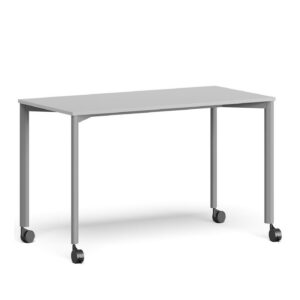
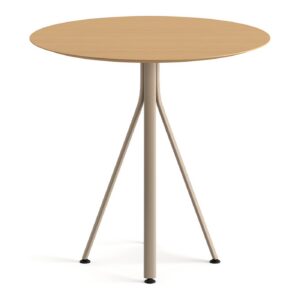
In an office project, desk tops can be light oak, metal legs anthracite, and cabinet doors off-white. In this case, clear RAL codes should be used in the project document instead of general terms like “anthracite legs” or “white cabinet.”
For example, the production form might include the following description:
Desk metal legs: Electrostatic powder coating will be applied in RAL anthracite gray. Cabinet doors will be chosen close to an off-white tone, and production will commence after final color sample approval.
This approach ensures a clearer process for the manufacturer, customer, and application team alike.
Conclusion: The Right RAL Code Means a More Professional Furniture Project
Color selection in office furniture directly affects the overall quality of the project. Using RAL codes standardizes color descriptions, clarifies the production process, and makes it easier to achieve the same shade in subsequent additional productions.
You can use digital tools like RAL Picker for quick on-site color analysis, estimating existing furniture colors, or viewing alternatives before a project. However, before making a final production decision, it is recommended to check physical samples under real lighting conditions.
Download the RAL Picker app to discover RAL color codes faster
Frequently Asked Questions
What is a RAL color code used for?
A RAL color code ensures a color is defined in a standard way. It is used in furniture, metal paint, decoration, and interior architecture projects to reproduce the same color consistently.
Can a RAL code be found from a photo?
An approximate RAL code can be estimated from a photo. However, camera, light, and surface reflection can affect the result. For a definitive production decision, physical sample verification should be performed.
Where are RAL codes used in office furniture?
RAL codes are used for desk legs, metal profiles, cabinet bodies, pedestals, partition systems, reception desks, and custom-made painted surfaces.
What does the RAL Picker app do?
RAL Picker is an Android application that helps find the closest RAL color code via camera or image. It provides quick color estimation for furniture, paint, decoration, and interior design work.
Will the color selected with a RAL code look the same as the color on the screen?
It may not always appear exactly the same. Screen calibration, light, surface type, and gloss difference can alter color perception. For professional projects, physical sample approval should be obtained.