






















1 March 2026
How to Plan a Workstation Setup for Your Office
In modern office environments, productivity and employee satisfaction are directly linked to well-planned workstation setups. The question "How to plan a workstation setup for your office?" is critically important, especially in open-plan offices or areas supporting teamwork. Proper workstation planning enhances individual focus and optimizes team communication. At Kavela.furniture, we help you maximize your space's potential and your employees' comfort and

Quick Answer: When planning an office workstation setup, first conduct a needs analysis, measure the space, consider ergonomic features, integrate storage and cable management solutions, ensure material and aesthetic harmony, and finally, think about technology and acoustic solutions.
In today’s business world, offices have evolved from mere workspaces into dynamic living areas that directly impact employee productivity, creativity, and overall well-being. Especially in open-plan office layouts or environments with intensive teamwork, a well-planned workstation setup is vital. So, how do you plan an ideal workstation setup for your office? This question serves as a strategic starting point for both small businesses and large corporations. As Kavela.furniture, we offer a comprehensive guide to designing functional, aesthetic, and ergonomic workstation setups that meet the needs of modern offices. This guide will walk you through every step, starting from the basic principles of open office design.
Before Planning Your Workstation Setup: Needs Analysis
Every successful project is built on a comprehensive needs analysis. Before you start planning your workstation setup, you should thoroughly determine the current and future needs of your office and employees. In this analysis, it’s important to answer the following questions:
- How many employees will be working at these workstations?
- Which departments will work together, and what is the intensity of communication between them?
- What are the daily workflows of employees? Is individual focus or teamwork more dominant?
- What technological equipment (number of monitors, computer, phone, etc.) will be used?
- How much storage is needed (personal items, files, stationery)?
- What is your company’s growth potential, and will the furniture need to adapt to this growth?
- How important are flexibility and rearrangement possibilities in the long term?
Space Utilization and Layout Plan: Strategies for Maximum Efficiency
After completing the needs analysis, you should create a layout plan to use your office’s physical space most efficiently. In this step, it’s important to take measurements of the existing space, identify natural light sources, door and window locations, and power and network connection points. Different layout strategies are available for workstation setups:
- Linear Layout (Benchmarking): Desks arranged side-by-side in long rows. Facilitates teamwork and communication.
- Cluster Layout: Workstations typically arranged in groups of 2, 3, 4, or 6, facing each other or around a common table.
- Cubicle Office: Independent workspaces separated by panels, increasing individual privacy and focus.
- Hybrid Layout: A flexible arrangement that combines open areas, private focus rooms, and meeting spaces.
[Image: Office floor plan drawings showing different workstation layout arrangements]
“The right workstation layout maximizes not only square footage but also employee energy and collaboration potential.”
Ergonomics and Comfort: Healthy and Productive Work Environments
Employee health and comfort form the foundation of a productive work environment. Therefore, special attention should be given to ergonomics when planning a workstation setup. Ergonomic workstations enable employees to work comfortably for long hours, preventing musculoskeletal disorders and reducing fatigue. Ergonomic elements to consider:
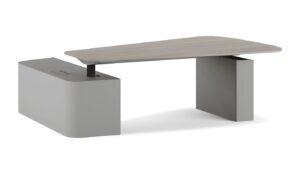
- Adjustable Desks: Height-adjustable desks allow employees to work sitting or standing, which improves blood circulation and prevents poor posture.
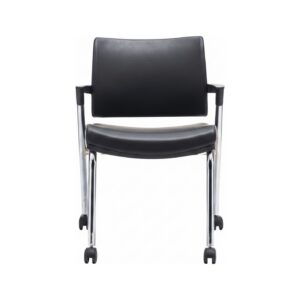
- Ergonomic Office Chairs: Choose chairs with adjustable lumbar, back, and arm support that support the natural curve of the spine. You can benefit from our ergonomic office chair selection guide on this topic.
- Monitor Arms: The ability to adjust monitors to eye level reduces neck and eye strain.
- Proper Lighting: It is important for each workspace to have adequate and non-straining lighting. The use of natural light should be encouraged.
Desk Size CalculatorCheck whether a computer, monitors and paperwork actually fit on one desk.