









29 August 2026
Office Desk Technology Infrastructure Specification v1.0
A vendor-neutral specification for USB-C power, sockets, data, cable routing and service access in modern desks.
Cutting a socket hole into a modern office desk is not the same as designing technology infrastructure. When power modules, USB-C capability, data routes, cable capacity, sit-stand movement and service access are not specified from the beginning, the first device refresh produces adapters on the top and cable piles on the floor. The Kavela Office Desk Technology Infrastructure Specification v1.0 turns those issues into vendor-neutral, comparable bid requirements.
This document is not an electrical code. Supply voltage, earthing, residual-current protection, circuit loading and installation must be designed by qualified professionals under local requirements. The specification addresses the interface between furniture and technology.
The first critical distinction: USB-C is a connector
Under official USB Implementers Forum terminology, USB Type-C is not synonymous with USB 3.2, USB4 or USB Power Delivery. A Type-C-shaped port may offer low-speed data, no video or too little power for a laptop. “Includes USB-C” is therefore not an acceptable bid description. Guaranteed watts per port, data performance and video capability must be listed separately.
USB Power Delivery 3.1 enables up to 240 W when the device, power source and full-featured cable support it. That does not make every USB-C port a 240 W port. USB-IF also uses 60 W and 240 W certified cable power markings. For a desk module, document the power source, port-sharing behaviour and output under simultaneous use.
Use classes
| Class | Typical use | Kavela v1.0 design baseline |
|---|---|---|
| T1 — Essential | Phone, thin client, one display | 2 AC outlets per user; at least 1 USB-C PD port sustaining 65 W; data/video through a separate dock |
| T2 — Professional | Laptop, dock, two displays | 2 AC outlets; 2 USB-C ports; at least one sustaining 100 W; data and video capability explicitly stated |
| T3 — High-power/media | Mobile workstation, production equipment | 2–4 AC outlets after load calculation; 140 W or higher PD need verified against the device list; dedicated circuit and thermal review considered |
These are procurement design baselines, not universal legal thresholds. The project’s device inventory may justify lower or higher values. Shared USB power supplies can reduce one port’s output when two ports are occupied. Acceptance must test simultaneous port loading, not merely read the total wattage printed on the adapter.
Ten mandatory specification clauses
- Port schedule: Code the AC, USB-C, network, display and special connections for every workpoint on drawings.
- Power declaration: State USB-C output for one port and for all ports used simultaneously.
- Protocol declaration: Mark charging, data and video separately; “Type-C” alone is insufficient.
- Replaceable module: A standard tool must remove the power/data module without cutting the top or load-bearing body.
- Cable route: Separate mains and low-voltage cables as local rules require; remove sharp edges and pinch points.
- Capacity reserve: Target at least 20% unused cable-tray cross-section on handover day.
- Service loop: Provide enough cable to expose and inspect module connections without contact with moving parts.
- Bend radius: Preserve the cable manufacturer’s minimum bend radius for power, network and display cables.
- Sit-stand safety: From minimum to maximum desk height, cables must not pull, drag on the floor or enter the mechanism.
- Identification: Label each under-desk cable at both ends and every module with its circuit or source number.
The service-access criterion
A technology module may have a shorter life than the furniture body. Verify “modular” with an intervention test, not a visual impression. A technician should be able to replace the module without removing the desk from the room, destroying the worktop or dismantling the neighbouring workpoint. Required tools, access face and target intervention time belong in the technical file.
Kavela v1.0 recommends a target of 15 minutes for routine replacement by one technician. This is a maintenance design target, not a safety standard. Time it on the first sample while applying the required electrical isolation and safe-working procedure separately.
Sample acceptance test
- Operate all AC and USB-C outputs under simultaneous load and record power per port.
- Verify charging, data and display functions separately with the nominated laptop.
- Install the project cable set in the tray; check reserve capacity and cover closure.
- Cycle a sit-stand desk through its full travel at least five times; observe pull, drag and pinch points.
- Remove one power module and install the same or an equivalent unit; record time and damage.
- Match product labels, electrical conformity documents and part codes to the handover file.
Technology integration is a visible theme in Kavela’s 2026 office furniture trends report, but future readiness is not the largest possible port count. It is the ability to update infrastructure after a protocol change or power-supply fault without replacing the entire desk.
Conclusion
Good desk technology infrastructure is more than a USB-C opening. It combines a device-led load calculation, protocol declaration, safe cable route, simultaneous-load test and replaceable modules. When watts, data, video and service are separate line items, bids become comparable and “integrated technology” becomes a measurable handover requirement.
Sources
- USB-IF — USB Power Delivery and power up to 240 W
- USB-IF — USB Type-C terminology and product communication guide
- USB-IF — cable, connector and power-marking requirements
Products that meet these specification items
Once the items above become a product list, these groups answer them in the catalogue. Module content, product length and colour are configured per project; power ratings and cut-out sizes are confirmed against the current technical datasheet.
- Modular Desk-Top Socket Channel — An aluminium socket channel fixed directly to the table surface, configurable from 2 to 24 modules using 22,5…
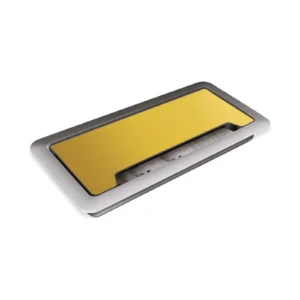
- Push-Open Aluminium Lidded Desk Socket — A desk socket unit with a metal body and aluminium lid that brings the connections into position through…
- Dual USB Charging Unit — A square or round charging unit with two USB 2.0 outputs, integrated into a metal mounting surface.
- 16-Module Underfloor Socket Box — A 16-module floor box that gathers power and data modules in raised or suitably prepared floor applications.
All six groups are listed under modular electrification.